Julia Undeutsch
Accessibility in React Application
#1about 4 minutes
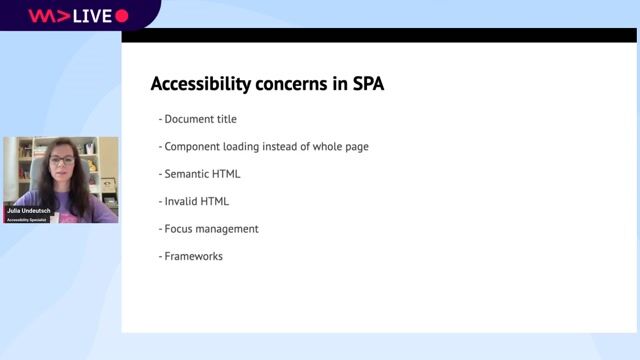
Common accessibility challenges in React SPAs
Single-page applications introduce unique accessibility issues like poor semantics, generic page titles, and difficult focus management.
#2about 8 minutes
Using semantic HTML for a better accessibility tree
Semantic HTML provides inherent meaning and structure, which translates directly to a navigable and understandable accessibility tree for screen reader users.
#3about 2 minutes
Using React Fragments to maintain valid HTML structure
React Fragments allow grouping elements without adding extra nodes to the DOM, preventing invalid HTML structures like a div inside a ul.
#4about 1 minute
Using correct JSX attributes for HTML properties
React uses camelCase for most HTML attributes, so it is important to use `className` instead of `class` and `htmlFor` instead of `for`.
#5about 7 minutes
Implementing effective focus management strategies in React
A CRUD application example demonstrates how to handle focus logically after adding, editing, or deleting items to create a predictable keyboard navigation experience.
#6about 3 minutes
Announcing page changes and live updates to users
Use techniques like updating the document title and implementing ARIA live regions to inform screen reader users about dynamic content changes and notifications.
#7about 3 minutes
A practical guide to testing React components for accessibility
Combine manual keyboard testing, browser extensions like axe DevTools, linters, and automated tests to ensure components are accessible.
#8about 1 minute
Summary of key principles for accessible React apps
A recap of essential practices including using semantic HTML, managing focus, announcing updates, and consistent testing to build accessible applications.
Related jobs
Jobs that call for the skills explored in this talk.
ROSEN Technology and Research Center GmbH
Osnabrück, Germany
Senior
TypeScript
React
+3
Matching moments
07:01 MIN
The importance of web accessibility as a core developer craft
WAD Live 22/01/2025: Exploring AI, Web Development, and Accessibility in Tech with Stefan Judis
18:43 MIN
Q&A on practical accessibility challenges
Preventing Accessibility Issues Instead Of Fixing Them
00:59 MIN
Summary of key accessibility best practices
Making Interactions Accessible to All Users
01:57 MIN
Why you should integrate accessibility early
Going on a CODE100 Accessibility Scavenger Hunt
04:08 MIN
The accessibility challenges of canvas-based UIs
WeAreDevelopers LIVE - Is Software Ever Truly Accessible?
01:58 MIN
Building with familiar React APIs and real CSS
Lynx: Native for More
03:52 MIN
Q&A on framework choice and accessibility
Extending HTML with Web Components
03:01 MIN
Summary of benefits from Ariakit and React 19
Building Interactive Async UI with React 19 and Ariakit
Featured Partners
Related Videos
Preventing Accessibility Issues Instead Of Fixing Them
Dirk Ginader
Mastering Keyboard Accessibility
Tanja Ulianova
Accessibility powered by AI
Ramona Domen
Is This App Accessible? A Live Testing Demo
Eeva-Jonna Panula
Accessibility with Web Components
Manuel Mauky
ARIA: the good parts
Hidde de Vries
Making Interactions Accessible to All Users
Anuradha Kumari
Data Mining Accessibility
Karl Groves
Related Articles
View all articles


From learning to earning
Jobs that call for the skills explored in this talk.

&why GmbH
Berlin, Germany
€50-70K
Junior
Intermediate
Senior
React
Next.js
TypeScript

Twin.Link GmbH
Osnabrück, Germany
Intermediate
Senior
React
TypeScript

PiNCAMP GmbH
Berlin, Germany
Senior
React
GraphQL
Next.js


KA RESOURCES
Mannheim, Germany
€65K
GIT
React
WebPack
JavaScript
+1

Adria Solutions ltd
Manchester, United Kingdom
£40-55K
REST
React
Next.js
WebPack
+5


