Noraa Junker

What’s New with Windows Power-User Tools

Your Windows terminal just got an AI upgrade. See the new Intelligent Terminal, plus major updates to PowerToys, Winget, and more.

What’s New with Windows Power-User Tools
#1about 4 minutes

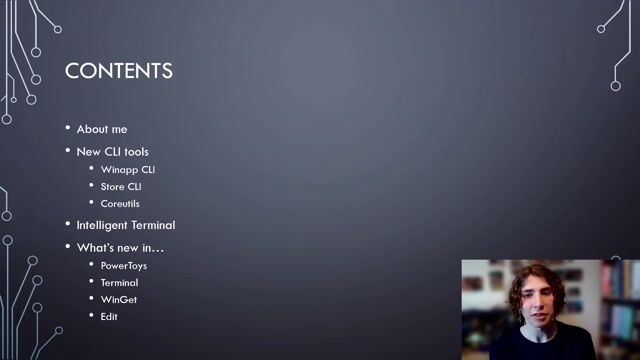
Simplify Windows App SDK development with the Winapp CLI

The Winapp CLI unifies building, packaging, signing, and running Windows App SDK projects from the command line.

#2about 1 minute

Manage Microsoft Store apps with the Store CLI

The Store CLI enables installing owned applications and viewing add-on details directly from the command line.

#3about 2 minutes

Using Linux core utils natively on Windows

A set of common Linux commands like `ls` and `find` are now available for Windows and can be installed via Winget.

#4about 1 minute

Debugging with the AI-powered Intelligent Terminal

Intelligent Terminal is a Windows Terminal fork featuring an AI agent pane that uses the command line context to help diagnose and fix errors.

#5about 7 minutes

Exploring new utilities and updates in PowerToys

Discover recent PowerToys additions including the Command Palette dock, Cursor Wrap, Power Display, a new Keyboard Manager UI, and an enhanced Shortcut Guide.

#6about 1 minute

What's new in the Windows Terminal settings

Windows Terminal now includes a settings search bar, a dedicated actions pane for key bindings, and support for the Kitty keyboard protocol.

#7about 2 minutes

Advanced package management with new Winget commands

Winget introduces new commands like `source edit` for managing repositories, `list --details` for verbose output, and an MCP server for AI integrations.

#8about 2 minutes

New features in the Windows Edit CLI editor

The `edit` command-line editor now supports syntax highlighting, new shortcuts for moving lines, and a customizable settings file.

Related jobs
Jobs that call for the skills explored in this talk.

Featured Partners

Related Articles

View all articles

From learning to earning

Jobs that call for the skills explored in this talk.