IT Support Technician

University Center
Melbourne, FL, United States
2 months ago

Role details

Contract type
Permanent contract
Employment type
Part-time / full-time
Experience level
Experienced
Experience required
2 years minimum
Compensation
$52,000.0
Working hours
Regular working hours
Job source

Tech stack

Microsoft Windows Active Directory BASIC (Programming Language) Business Software Dynamic Host Configuration Protocol Domain Name System (DNS) Wi-Fi Technology Computer Network Technologies Peripherals Information Technology User Administration User Accounts

Job description

We are seeking a hands-on IT Support Technician to support our medical organization across multiple locations. Must have a minimum of 2 years of hands-on IT support, helpdesk, or desktop support experience; healthcare experience is preferred but not required. This role is focused on day-to-day user support, desktop support, workstation issues, printers/scanners, user accounts, onboarding/offboarding, basic Microsoft 365 troubleshooting, inventory, and routine technical issues.

This position works closely with and under the direction of the IT Manager/PACS Administrator. The ideal candidate is comfortable physically going to users’ workstations and troubleshooting in person, documenting work clearly, escalating appropriately, and supporting staff in a fast-paced healthcare environment.

LOCATIONS: On-site, multiple locations (1800 W Hibiscus Blvd Ste 100-106 Melbourne, FL and 6300N Wickham Rd Ste 100 Melbourne, FL 32940)

HOURS: Full-Time preferred; part-time or flexible arrangements may be considered for the right candidate, * Provide on-site support to staff across multiple locations.

  • Troubleshoot hardware, software, phone, printer, scanner, workstation, and basic network issues.
  • Provide first-level support for EMR, PACS, RIS, and clinical workflow issues under the direction of the IT Manager/PACS Administrator.
  • Assist with onboarding and offboarding employees, including workstation setup and access coordination.
  • Maintain and support end-user workstations, peripherals, and basic IT equipment.
  • Assist with basic network troubleshooting such as Wi-Fi, DHCP/DNS-related symptoms, cabling, and connectivity issues.
  • Work with vendors on routine support items or escalated issues when directed.
  • Help maintain IT inventory, spare equipment, and basic support documentation.

Requirements

Do you have experience in Printer (troubleshooting support)?, Do you have a High school diploma or GED?, * High school diploma or equivalent;

  • 2 -4 year college degree or relevant IT certifications;
  • Minimum of 2 years of hands-on IT support, helpdesk, or desktop support experience;
  • Microsoft certifications (MCSE and/or MCSA) preferred;
  • Strong troubleshooting skills with Windows, workstations, printers, scanners, phones, and common business applications;
  • Basic experience with Active Directory, Microsoft 365, user account management, and permissions;
  • Foundational networking knowledge, including Wi-Fi, cabling, DHCP, DNS, and basic connectivity troubleshooting;
  • Experience with healthcare or clinical systems is a plus;
  • Comfortable with repetitive support work and routine user issues while maintaining a helpful and professional demeanor;
  • Able to work independently while following direction, communicating clearly, and escalating before making major changes;
  • Strong communication skills and patience with non-technical end users.

Benefits & conditions

Pulled from the full job description

  • Health insurance
  • 401(k) matching
  • Paid time off
  • Vision insurance
  • Health savings account
  • Dental insurance
  • Flexible spending account, * 401(k) matching
  • Dental insurance
  • Flexible schedule
  • Flexible spending account
  • Health insurance
  • Health savings account
  • Life insurance
  • Paid time off
  • Vision insurance

Apply for this position

This job is hosted externally. Click below to view the full posting and apply.

Apply on indeed.com

Good distractions

Talks and stories from around this role — technically off-topic, practically not.

1:32 min

Ensuring secure and reliable connectivity for remote employees

Kyle Daigle · Coffee With Developers

1:45 min

Evolution from manual setups to automated monolith deployments

Axel Barbier · WWC 2023

3:44 min

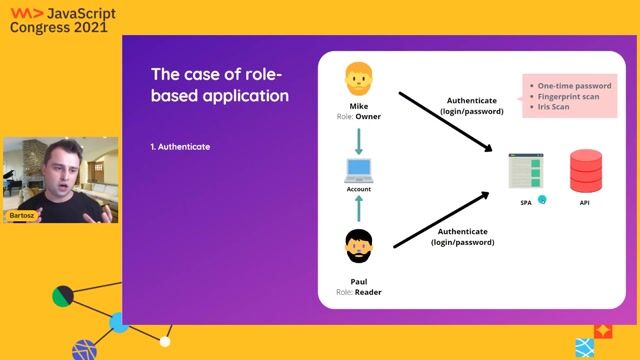
Domain modeling for multi-user scalable account systems

Bartosz Pietrucha · JS Congress

4:55 min

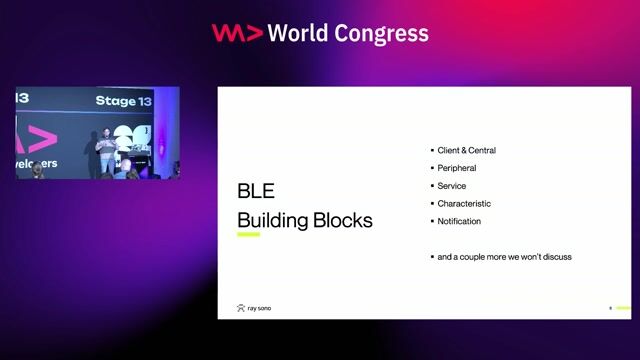
Core architecture and building blocks of Bluetooth Low Energy

Georg Dresler Georg Dresler · WWC Europe 2026

1:05 min

Adapting workplace policies to support distributed technical teams

Tejas Chopra Tejas Chopra · LIVE

3:18 min

Eliminating passwords using Azure managed identities

Markus Möller · WWC 2021

Videos

See all

Related articles

See all