Network Technician

Ferris Independent School District (inc)
Ferris, TX, United States
about 2 months ago

Role details

Contract type
Permanent contract
Employment type
Full-time (> 32 hours)
Experience required
1 year minimum
Working hours
Regular working hours
Job source

Tech stack

Microsoft Windows Apple Mac Systems Software Applications Chrome OS Desktop Computing Networking Hardware Networking Basics Networking Cables Network Connections Software Engineering Tablet Computers Peripherals
+1 more
Computer Equipment

Job description

Technology Technician Primary Purpose: Provide a single point of contact for all district staff, parents/legal guardians, and students to resolve problems to include but not limited to computer, software, and communications services. Perform on-site technical work to install and maintain computer equipment and network and software applications at an assigned campus. Respond to work order requests by diagnosing and repairing network, audio visual, and computer hardware and software issues. Work closely with other Technology personnel to identify and resolve issues. Responsible for help desk support via email, help desk, or phone related to technology issues and distribution of technology-related work orders., 1. Receive support tickets and work cooperatively to assist end-users such as staff, parents/legal guardians, or students to resolve problems related to district software and hardware.

  1. Communicate with software and hardware vendors to resolve end-user problems.
  2. Communicate professionally with staff, parents/legal guardians, students, other technicians and administrators to detect and resolve end-user problems via helpdesk, phone, or email. Installation

  3. Install, relocate, and upgrade computers and peripherals.
  4. Install network cabling and assist with troubleshooting networking equipment.
  5. Install and configure software as needed. Technical Support

  6. Install, relocate, and upgrade computers and peripherals.
  7. Install network cabling and assist with troubleshooting networking equipment.
  8. Install and configure software as needed.
  9. Assign priority to and process technology-related work orders. Evaluate and recommend technology-related repairs and costs.
  10. Analyze and identify trends in the help desk system and submit reports to administration accordingly.
  11. Assist with the organization and distribution of technology-based material for classroom use. Equipment Repair and Maintenance

  12. Diagnose and repair network connectivity and hardware issues, including printers, telephony, and computing equipment
  13. Diagnose and repair equipment, including printers, Chromebooks, laptops, tablets, and desktops.
  14. Assist with servicing physical security and communications equipment.
  15. Maintain and create technical documentation as required.
  16. Maintain accurate records of time and materials required to perform repairs and service.
  17. Maintain accurate inventory of all computing and presentation equipment on the campus and rectify/update on a regular schedule.
  18. Assist with setup of Audio and Video equipment in large space venues as needed.
  19. Provide Technical support for school events as scheduled by the campus or other departments.
  20. Configure and adjust bell schedule for campuses and adjust schedule when necessary.
  21. Maintain accurate records of time and materials required to perform repairs and service. Other

  22. Comply with policies established by federal and state law, State Board of Education rule, and local board policy.
  23. Follow district safety protocols and emergency procedures.
  24. Assist with on-boarding and training new personnel. Supervisory Responsibilities: None. Equipment Used: Hand tools and test instruments for electronic repairs. Additional equipment may include, but is not limited to personal computers, and peripherals. Mental Demands/Physical Demands/Environmental Factors: Tools/Equipment Used: Hand tools and test instruments for repairs on standard office equipment including computers and peripherals, and printers Posture: Climbing, kneeling/squatting, bending/stooping, pushing/pulling, and twisting Motion: Frequent walking, grasping/squeezing, wrist flexion/extension Lifting: Frequent light lifting and carrying (under 15 pounds); may require heavy lifting (45 pounds or more) Environment: Occasional prolonged and irregular hours may be required Mental Demands: Work with frequent interruptions; maintain emotional control under stress

Requirements

Do you have experience in macOS?, Do you have a High school diploma or GED?, Education/Certification: High school diploma or GED CompTIA A+ or industry equivalent certification (preferred) Special Knowledge/Skills: Excellent customer service skills Broad knowledge of computer hardware and software applications Basic knowledge of networking principles Basic knowledge of telecommunications (telephony) principles Ability to troubleshoot and maintain network cabling and equipment Ability to input large amounts of data accurately and in a timely manner Ability to detect and resolve technology-related problems on Windows, ChromeOS, and MacOS operating systems Ability to install, diagnose, and perform repairs on computers and peripherals Possess strong verbal, written, organizational, and interpersonal skills Ability to establish and maintain harmonious working relationships, demonstrating tact, diplomacy, and patience, with those contacted in the course of work Experience: 1 year of work experience in technical support position (preferred)

Apply for this position

This job is hosted externally. Click below to view the full posting and apply.

Apply on indeed.com

Good distractions

Talks and stories from around this role — technically off-topic, practically not.

1:32 min

Ensuring secure and reliable connectivity for remote employees

Kyle Daigle · Coffee With Developers

4:55 min

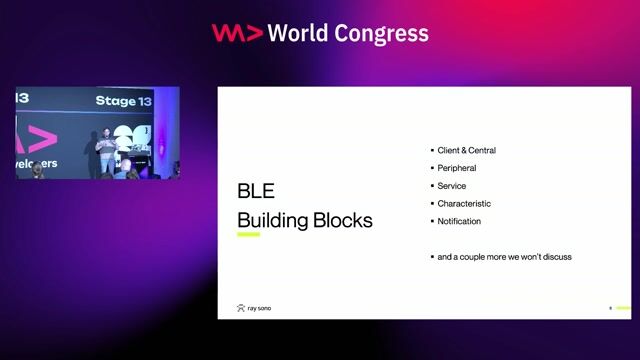
Core architecture and building blocks of Bluetooth Low Energy

Georg Dresler Georg Dresler · WWC Europe 2026

2:08 min

Discovering technical colleges through public employment centers

Lea Fragner · LIVE

4:20 min

Controlling a selected Bluetooth peripheral via live demo

Georg Dresler Georg Dresler · WWC Europe 2026

4:32 min

Applying prior organizational and creative skills to technology

Jennifer Reif · LIVE

1:37 min

Platform constraints on concurrent peripheral device connections

Georg Dresler Georg Dresler · WWC Europe 2026

Videos

See all

Related articles

See all