
Tool Showcase: Marta.sh a fast, native, fully customisable and extensible two-panel file commander
- Discuss this with your agent
- Open in Claude
- Open in ChatGPT
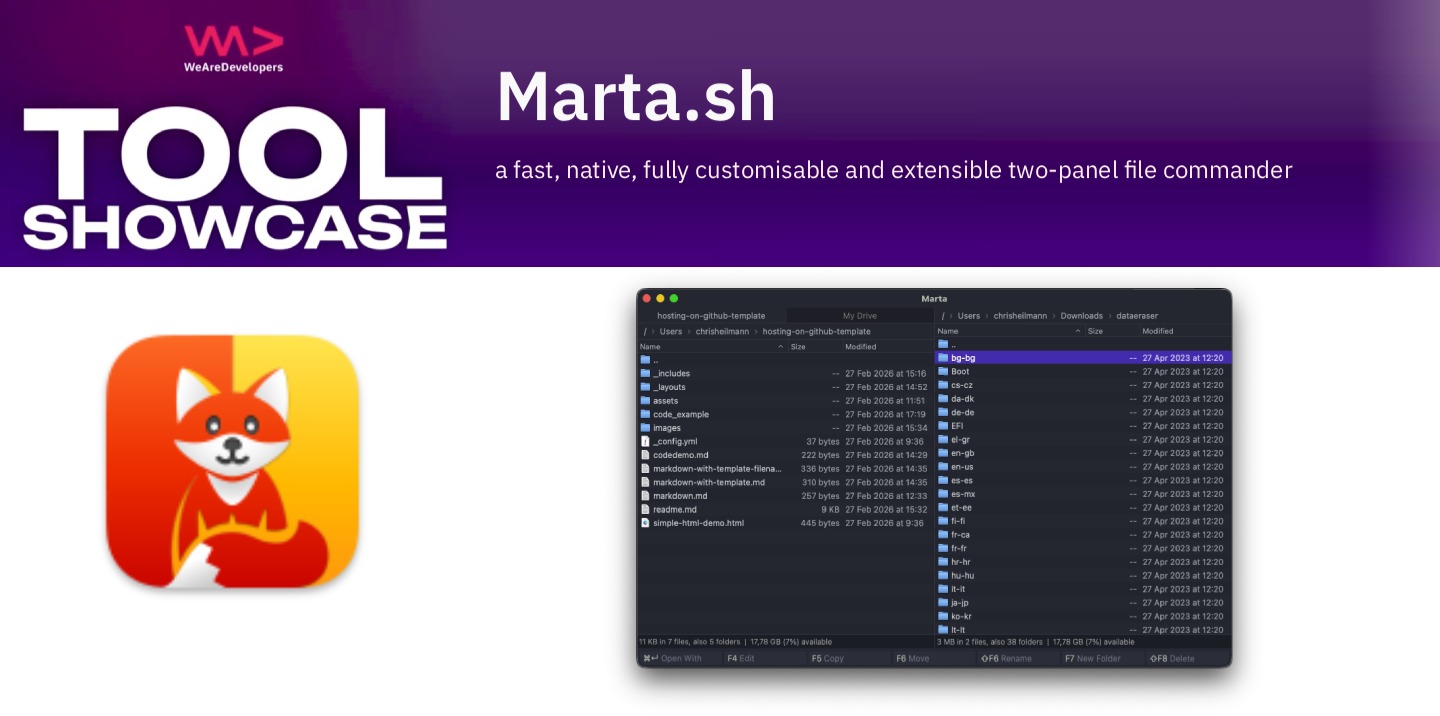
Marta is a free, super fast, fully customisable two pane file manager that makes organising a large hard drive a breeze compared to using Finder.
Organising lots of files with Finder isn’t fun or keyboard friendly
When it comes to organising a lot of files, the file tools of the operating system - Finder and Explorer - soon become annoying to use. Especially for a dedicated keyboard user. Traditionally the tools to make moving tons of files and dealing with complex file structures were two-pane file managers like Norton Commander, Wincommander, Total Commander and the likes.
Marta, a state-of-the-art two pane file manager
Now we have Marta, which is a free, native Mac OS two pane file manager written in Swift by Yan Zhulanow. It allows you to easily pick and discard files with your keyboard and move and copy them around.
Another excellent feature is that you can open a terminal in the current folder without having to switch to another tool - in case you need even more power.
Marta is MacOS native and can just be installed, it is fully keyboard accessible, and doesn’t collect any information. It treats archives like zip and rar like folders so you don’t need to unpack everything to see just one of the files. It is fully customisable and comes with several themes.
There’s also a Plugin API where you can extend the tool with your own LUA plugins.
You can access all its features with an shortcut action panel and there is a quick search to find files globally and open their parent folder.
Another excellent feature is Disk Usage which gives you full insight into how big different folders are and why things are slow.
One feature I miss that older two-pane file managers had is comparing folders and automatically highlighting the differences. Good thing that Marta is available on GitHub where you can request new features.