Tips and Tricks: CSS Pseudo Class Selectors and Pseudo Elements
Tired of writing JavaScript for simple UI toggles? Discover how to build them with pure CSS using powerful pseudo-classes like `:checked` and `:has()`.
#1about 1 minute
Differentiating between CSS pseudo-classes and pseudo-elements
Learn the key difference between pseudo-classes, which style elements in specific states, and pseudo-elements, which style specific parts of an element.
#2about 1 minute
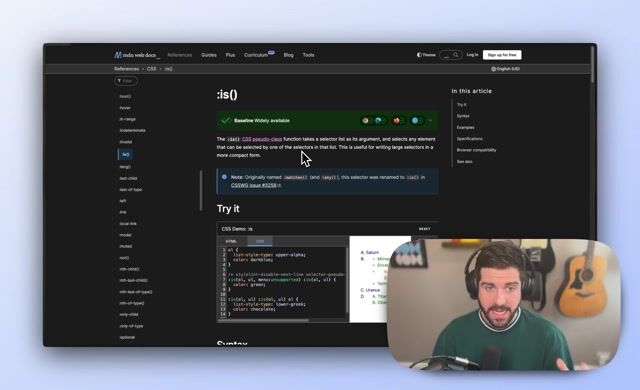
Simplify complex CSS selectors with the :is pseudo-class
Use the :is() pseudo-class to group multiple selectors and apply shared styles in a more compact and readable way.
#3about 1 minute
Style elements based on a checkbox state with :checked
Update the styles of sibling elements based on the state of a checkbox input using the :checked pseudo-class, without any JavaScript.
#4about 1 minute
Create a pure CSS tooltip with :hover and sibling selectors
Combine the :hover pseudo-class with the next sibling selector (+) to show and hide a tooltip element on button hover.
#5about 1 minute
Conditionally style parent elements using the :has pseudo-class
Apply styles to a parent element only when it contains specific child elements by using the :has() pseudo-class selector.
#6about 1 minute
Insert placeholder content into empty elements with CSS
Use the :empty pseudo-class combined with the ::before pseudo-element to dynamically insert placeholder text into empty divs.
#7about 2 minutes
Create a skewed highlight effect with the ::before pseudo-element
Implement a dynamic, skewed background highlight for text by inserting and styling content with the ::before pseudo-element.
#8about 1 minute
Create newspaper-style text with ::first-line and ::first-letter
Combine the ::first-line and ::first-letter pseudo-elements to apply unique typographic styles for a classic drop cap and introductory line effect.
Related jobs
Jobs that call for the skills explored in this talk.
Tweak CSS Properties Live with slideVarsEvery developer knows what it’s like to design - and then code - a quality UI. Hundreds of tweaks, indecision over details, and lots of refreshing to see the changes you’ve made can make it a painful process - even in age of vibe coding and UI librar...
Daniel Cranney
How to Style Other Elements on Hover with the :not() CSS Pseudo ClassA few years back, Stephan Judis wrote about CSS’s :not pseduo-class as it started to gain widespread browser support. Fast forward to 2025, and it’s widely available, but so rarely used.
In this article, we’re going to dig into the :not pseudo class...
Daniel Cranney
CSS-Only Scroll-Driven AnimationsScroll-linked animations look slick, but until now it often meant writing a fair amount of JavaScript, scroll event listeners, getBoundingClientRect(), class toggling and so on, with UX benefits often offset by performance downsides.
CSS scroll-drive...
Daniel Cranney
The Overflow: 5 CSS Generators and Visual Design ToolsIf you’ve read The Overflow before you’ll know it’s where we take some time you show you our favourite tools from around the web that we simply couldn’t fit into the always-packed Dev Digest.
This time, we’re looking at five tools for generating CSS ...
From learning to earning
Jobs that call for the skills explored in this talk.