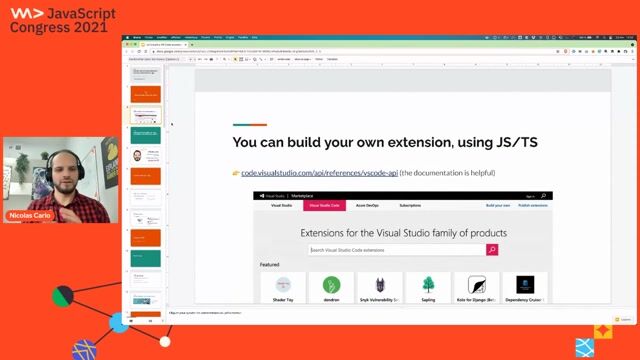
Let's build a VS Code extension for automated refactorings
Stop refactoring JavaScript manually. Learn to build a VS Code extension that uses ASTs to automate code improvements safely and reliably.
#1about 10 minutes
Scaffolding your first VS Code extension project
Use the Yeoman generator (`yo code`) to quickly create the boilerplate for a new TypeScript-based VS Code extension.
#2about 6 minutes
Running and debugging your first extension
Explore the generated project structure, including `package.json` contributions and the `extension.ts` activation file, then run it in the Extension Development Host.
#3about 10 minutes
Reading and writing code using the VS Code API
Access the active editor's content using `window.activeTextEditor` and modify it programmatically with `editor.edit()`, then add a keybinding for quick access.
#4about 13 minutes
Manipulating code reliably with Abstract Syntax Trees
Overcome the limitations of string manipulation by using Babel to parse code into an Abstract Syntax Tree (AST), traverse it, and generate transformed code.
#5about 7 minutes
Understanding the principles of safe automated refactoring
Learn Martin Fowler's definition of refactoring and see how automating small, behavior-preserving changes like "introduce guard clauses" improves code quality.
#6about 15 minutes
Test-driving the refactoring logic with Mocha
Set up an isolated testing environment with Mocha to test the pure transformation logic, enabling a fast feedback loop with Test-Driven Development (TDD).
#7about 23 minutes
Implementing the refactoring using AST manipulation
Write the logic to identify and transform a nested `if` statement into a guard clause by manipulating its AST nodes and handling different code patterns.
#8about 1 minute
Packaging and publishing your VS Code extension
Use the `vsce` command-line tool to package your extension into a `.vsix` file for private sharing or for publishing to the official VS Code Marketplace.
#9about 6 minutes
Recap and resources for advanced extension development
Review the key steps for building an extension and explore advanced topics like hexagonal architecture for testing and contributing to open-source projects.
#10about 8 minutes
Q&A on extensions, testing, and development tools
The speaker answers audience questions about the VS Code extension ecosystem, security concerns, testing strategies, and using tools like GitHub Copilot.
Related jobs
Jobs that call for the skills explored in this talk.
Exploring TypeScript: Benefits for Large-Scale JavaScript ProjectsJavaScript is the backbone of web development, powering everything from small websites to large-scale enterprise applications. However, as projects grow in complexity, maintaining JavaScript code can become increasingly difficult. This is where TypeS...
Daniel Cranney, Chris Heilmann
Dev Digest 215: Agent Memory, JS2026, Googlebot Analysis & Canvas❤️HTMLInside last week’s Dev Digest 215 .
🗿 Make AI talk like a caveman
🧠 A guide to context engineering for LLMs
🤖 Simon Willison on agentic engineering
🔐 Axios supply chain attack post mortem
🛡️ Designing AI agents to resist prompt injection
🎨 HTML in c...
Daniel Cranney
7 VSCode Extensions That Actually Make You More Efficient (2025 Edition)When it comes to development IDE’s, Visual Studio Code is tough to beat. It’s open-source, lightweight, deeply customisable and has a huge community around the globe extending its functionality and developing its features. With this in mind, it’s no...
Ashutosh Mishra
8 Great VS Code Extensions powered by AIDeveloper productivity tools and extensions are increasing every year. The latest hype is for the tools that are powered by Artificial Intelligence. Such tools are constantly increasing in terms of quality and quantity.If used properly, they can impr...
From learning to earning
Jobs that call for the skills explored in this talk.