Dizzy users close browsers: balancing creativity and accessibility
For millions with motion sensitivity, epilepsy, or autism, your site's animations can cause dizziness and nausea. True creativity means designing for everyone.
#1about 8 minutes
A personal journey with a vestibular disorder
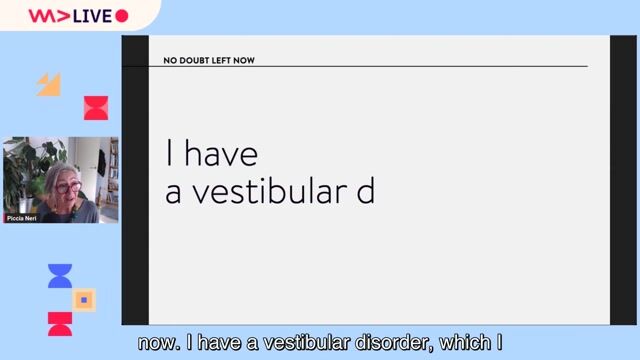
The speaker shares a personal story about discovering a vestibular disorder, which causes dizziness and nausea from flickering lights and motion.
#2about 4 minutes
How web animations physically affect millions of users
Web animations can cause physical sickness for a large percentage of the population with vestibular disorders, vision disabilities, autism, and epilepsy.
#3about 3 minutes
Questioning the necessity of web animation today
An example of an email overloaded with GIFs illustrates how motion can make content unusable, raising the question of whether animation is truly essential.
#4about 5 minutes
Debunking the myth that accessibility kills creativity
Examples from art history and a 3D Braille painting demonstrate that creativity is not dependent on animation and that accessibility can be delightful for everyone.
#5about 8 minutes
Analyzing accessibility in award-winning websites
A review of Webby Award winners, like the Getty's Mesopotamia site, reveals that visually impressive, animation-heavy sites are often completely inaccessible to screen reader users.
#6about 5 minutes
Using animation purposefully and effectively for UX
Not all animation is bad; subtle, user-initiated micro-animations can enhance the user experience without causing harm if implemented accessibly.
#7about 6 minutes
Finding creativity in user experience and interaction
Comparing two insurance websites shows how creativity can be expressed through thoughtful user flow, language, and illustration rather than just flashy visual effects.
#8about 6 minutes
Simple guidelines for creative and accessible design
To balance creativity and accessibility, ask if an animation meaningfully improves the experience and ensure it doesn't create barriers, following WCAG's "pause, stop, hide" principle.
Related jobs
Jobs that call for the skills explored in this talk.
Web Developer Portfolio Inspiration and Examples - March 2025Every developer needs a portfolio… of some sort.
Whether it’s an all-singing all-dancing portfolio page, a blog, or a simple links page, it’s important to let others know what you have done, what you can do, and how they can contact you.
A portfolio ...
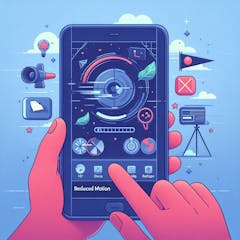
Accessibility tip: Detecting reduced motion in one line of JavaScriptAnimation can be a great tool to make apps seem more performant, be more engaging or even just more interesting. There are, however, quite a few groups of people who can not deal with things animating, as it distracts them or can even cause nausea. T...
Chris Heilmann
The Web We Broke (And Why AI Agents Are Paying the Price) - AgentCon BerlinThis is the accompanying post to the talk Chris Heilmann gave at AgentCon in Berlin on 19/05/2026, you can also see the slides and listen to it in this screencast:
Thirty years of developer shortcuts, bloated JavaScript, and inaccessible HTML have l...
From learning to earning
Jobs that call for the skills explored in this talk.